

Windows 8 proved not to be a choice of users, contrary to the expectations. Why? Users were truly excited about its launch and release. However, they couldn’t stick to it because of certain interface difficulties faced by them, which disappointed them and they switched to the previous operating system.
We believe that Windows 8 isn’t a difficult platform to handle, but a mysterious one, which has been unfolding its secrets, since its launch in October. There had been many tricks that have come up in front of the users—right from the shortcuts to maintenance tools.
If you’re not willing to change your operating system from Windows 8 to any other version of Windows OS for certain reasons, but you do face problems operating it, then go ahead with the following tips that may make your job easier, to deal with Windows 8.
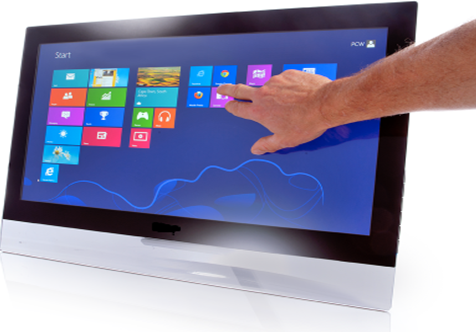
Find a program without any headache!
With this OS, you need not open the ‘search’ box and type the name of your program, to find it. But, you can type the name of the program anywhere in the Start screen and it will fetch the result for you. In case of touch typing, be careful to spell the name without any mistake, else your system will search for the program, which doesn’t even exist.
Quick screen shots!
If you have a Windows 8 laptop or desktop, press ‘Windows’ key+ ‘Print Screen’, to create a screenshot and save it as a PNG file directly, without having to open a ‘Paint’ workspace, paste on it and then, save it.
In case of a Windows 8 tablet, tap on ‘Windows’ key+ volume down key, to create screenshots.
You will not miss the ‘Start’ menu!
Evidently, Windows 8 doesn’t have a start menu. However, it is not gone forever. You can have a small context menu, by pressing ‘Windows’ key+X. We do not see any reason for you to be upset with this interface, as this menu will provide you an easy reach to Control Panel, Documents and My Computer via this small menu.
Startup tab has been included in Task Manager!
Almost all programs have an intention to go to the list of startup programs, upon installation. If too many programs are included in the startup programs, then your system tends to get slower eventually.
This problem can be avoided very easily, as the traditional Task Manager has been redesigned with a Startup tab into it. Now, you can have a quick scan of startup programs in the Task Manager, and disable the programs that are not required to run as soon as the display occurs.
These are few of the tips that you can follow to have a smooth operation of Windows 8. However, exploring Windows 8 has been like a treasure hunt so far, which has innumerous hidden shortcuts and we are waiting to come across more of them in future.
This is a guest post by Jack of TechHelpApps, a site that offers quick solutions to your computer problems. For any technical related issues or queries on computer malfunctioning, drop in at techhelpapps.